See the combination before checkout
Try on a whole
outfit at once.
Direct answer: Add one clear person reference and separate images for the exact top, bottoms and shoes you are considering. Private Try-On combines them in one AI style preview so you can judge the complete direction before buying. It cannot tell you the correct size, reproduce every detail exactly or prove how the real garments will fit.
What it is
Whole-outfit try-on combines a person reference with separate images for selected clothing and shoes in an AI style preview. It shows a possible visual combination, without guaranteeing product fidelity or physical fit.
Who it's for
Use it when
- You already chose exact pieces and need to see their colour, proportion and visual weight together.
- The products come from one or several stores and you have a clear image for each item.
- An on-person style direction would answer more than a flat collage.
Do not use it when
- You need a size recommendation, exact measurements or a physical fitting.
- You need guaranteed face, logo, print, fabric or garment-detail preservation.
- A free manual collage already answers the styling question.
How it works
- Use a clear full-body reference. Choose a front-facing photo with the head and feet visible and use only an image you own or have permission to use.
- Prepare one image per product. Crop shopping-app buttons, prices and promotional labels, then place each item in the matching top, bottoms or shoes slot.
- Generate the complete look. Create one preview that combines the selected pieces, then compare the result with every original product image.
- Swap one piece when needed. Replace the item that does not work and generate another direction. A new generation uses the applicable allowance.
See the whole outfit
Do these pieces work together?
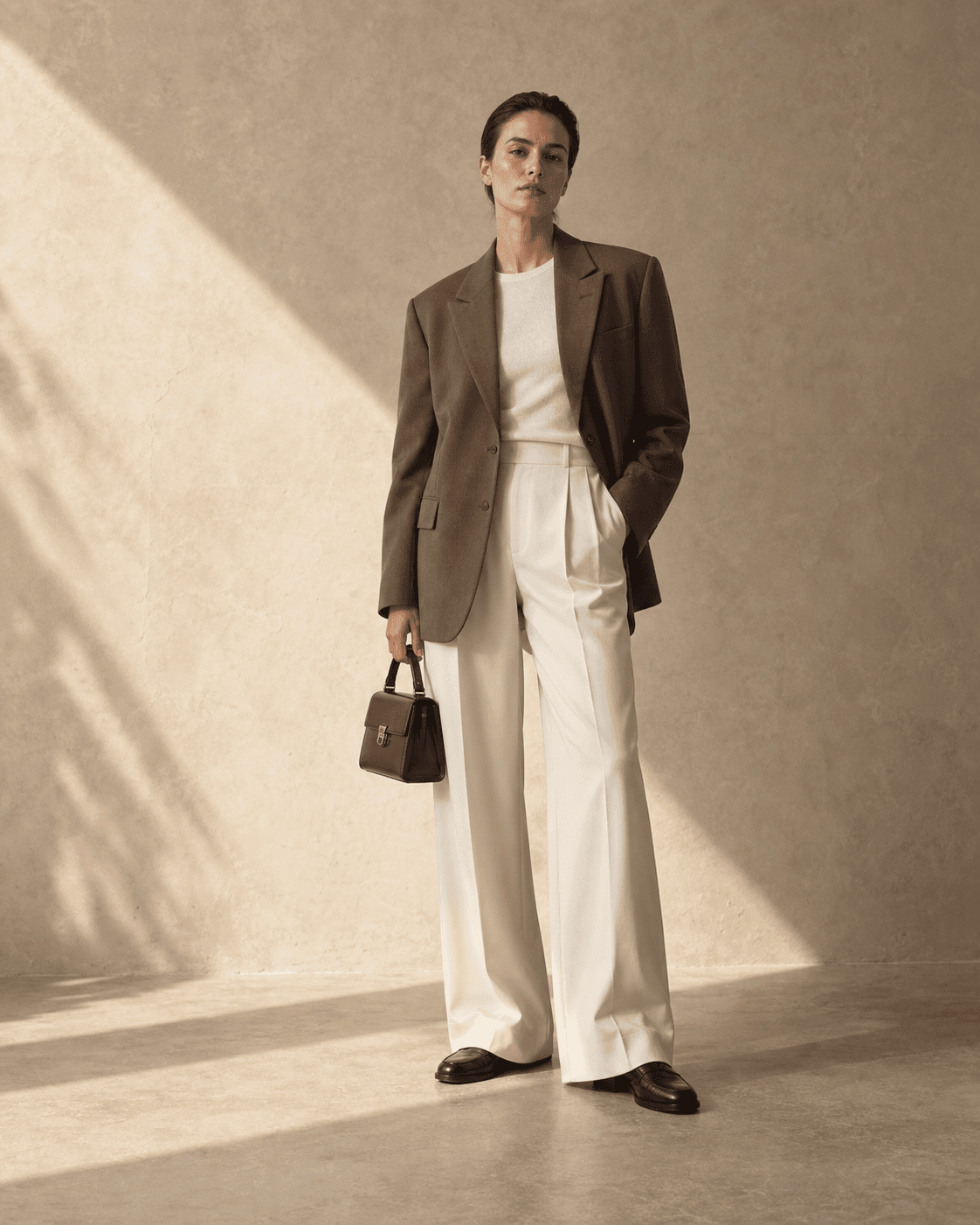
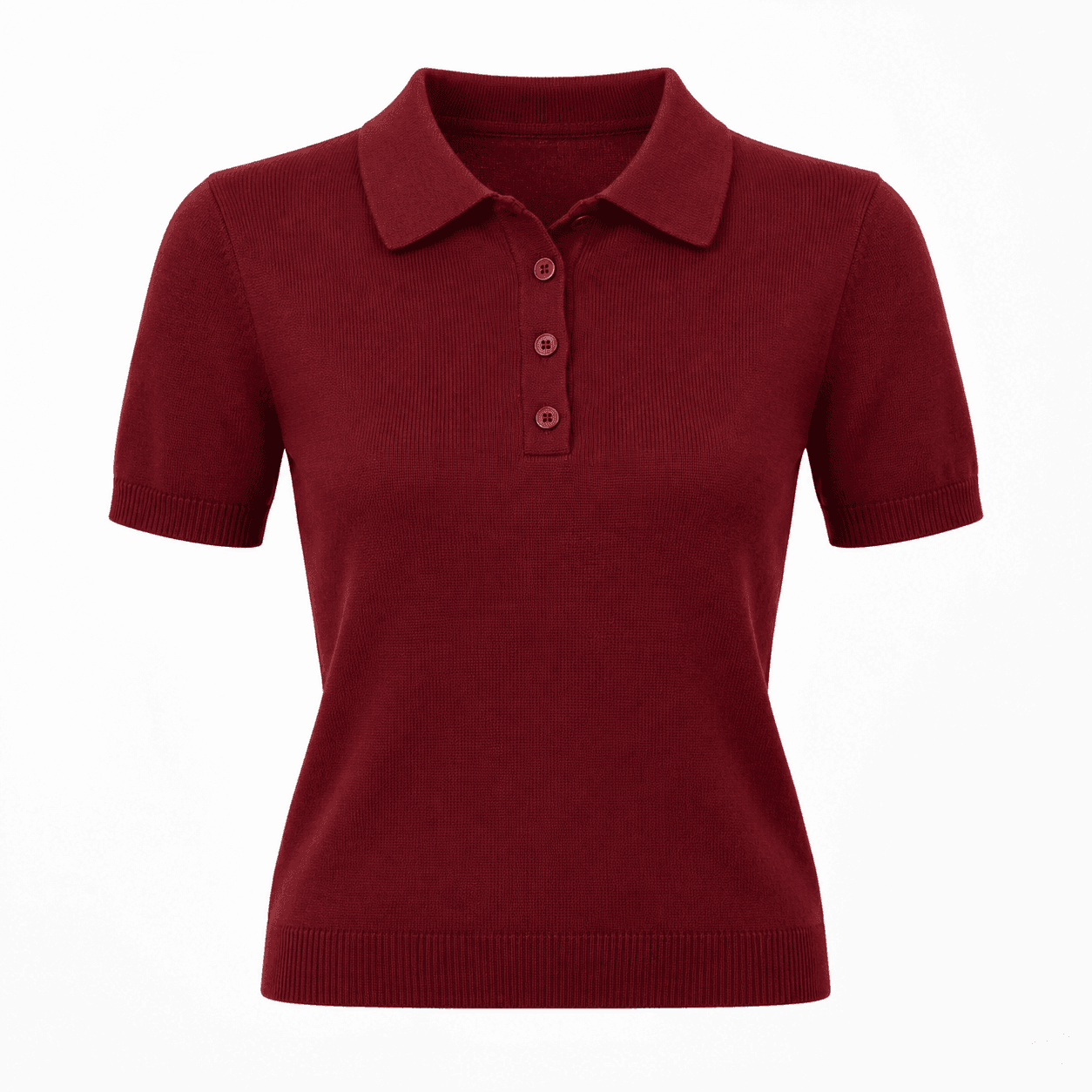
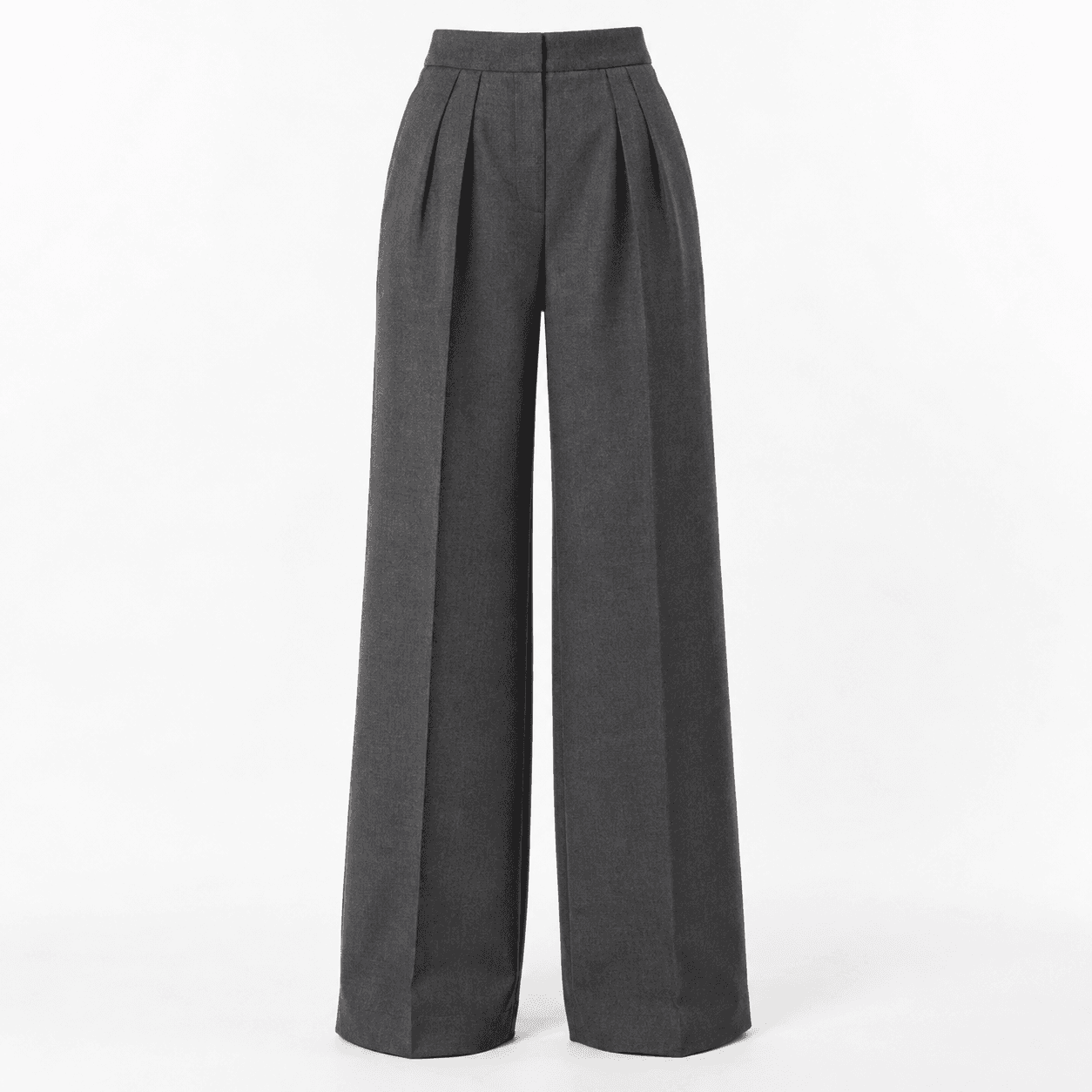
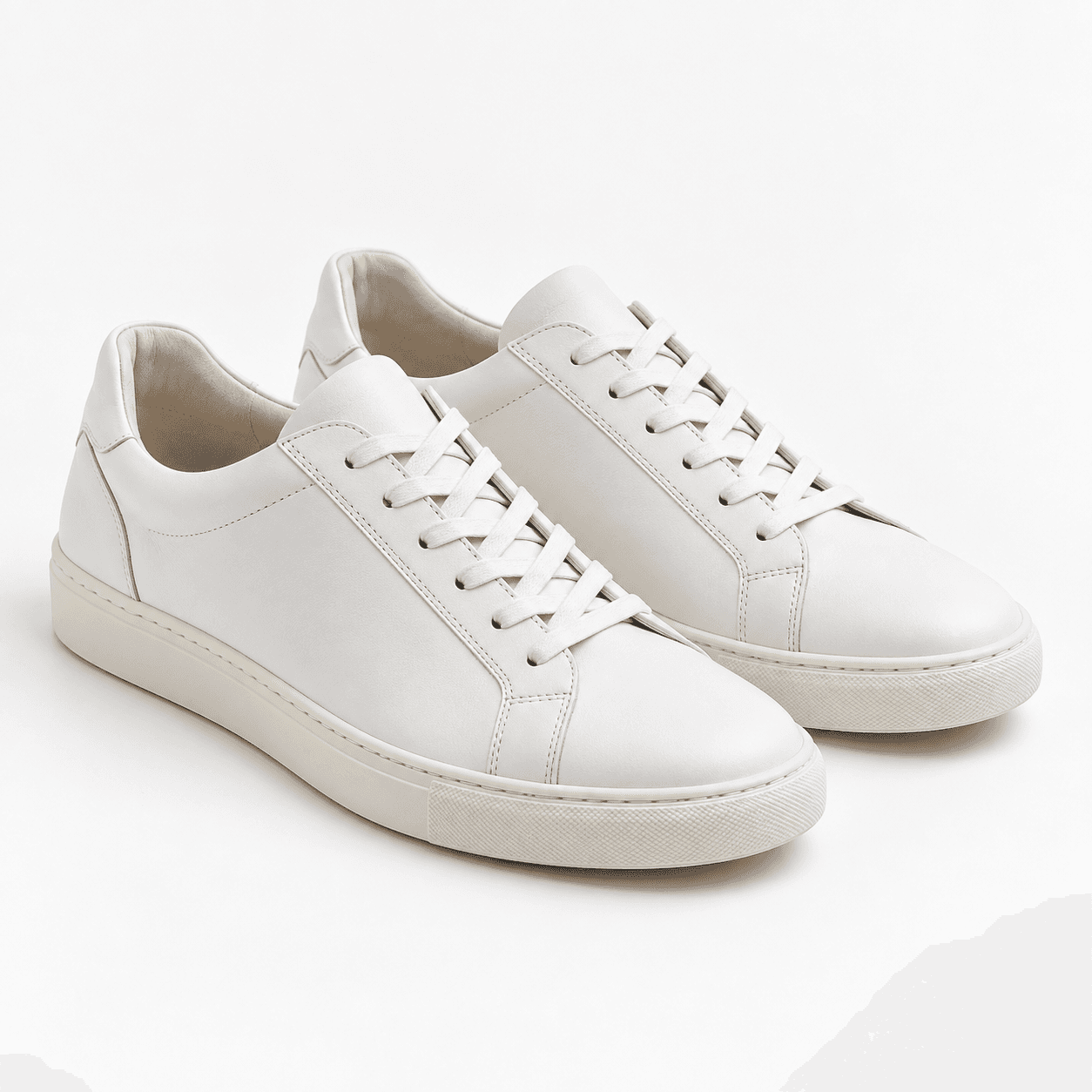
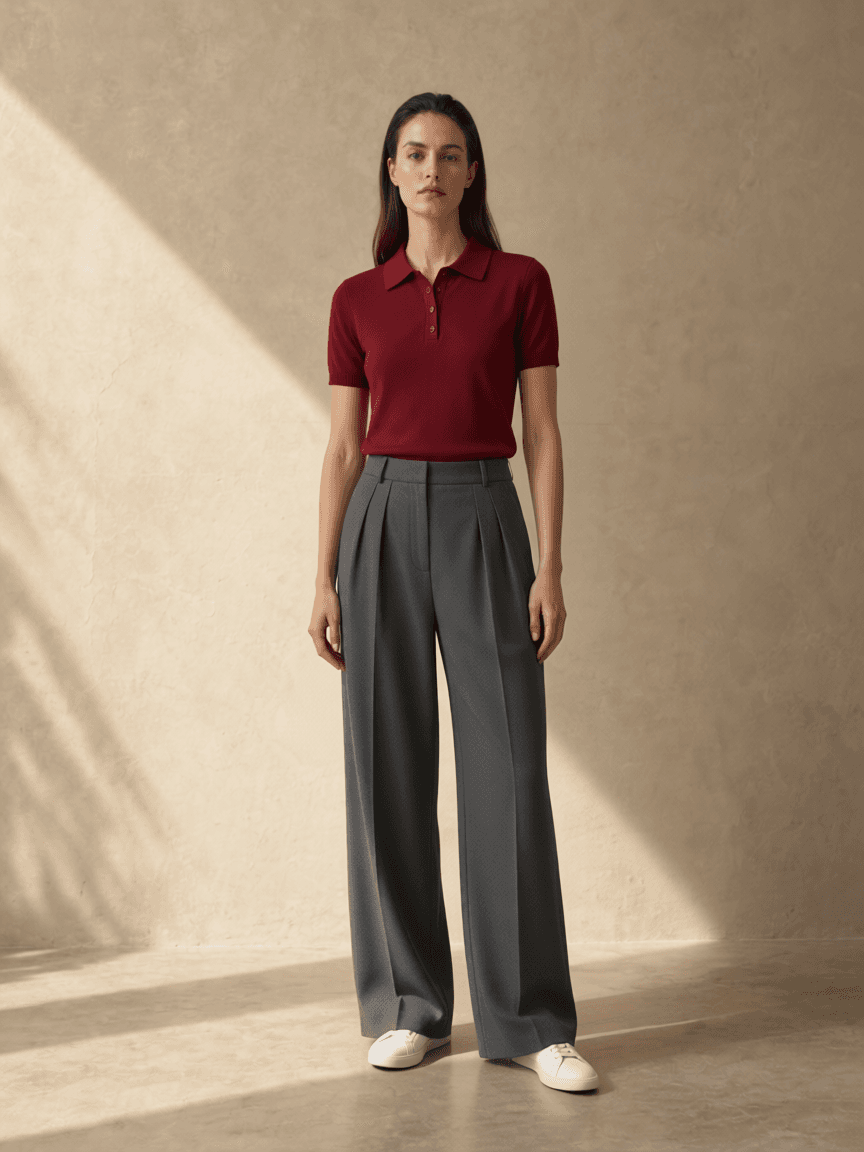
Synthetic references; actual, unretouched output. Face, pose and clothing details may change. Style preview only—not a guarantee of fabric, fit or sizing.
Prepare your own product images →Choose between a collage, a mood board and an on-person preview
Separate retailer images use different models, crops, lighting and scales. A top photographed close up can look dominant beside trousers shown from a distance, even when their real proportions would balance. Start with the exact items in your shortlist rather than a similar inspiration photograph. Decide which question is still unanswered before choosing a comparison method.
A flat-lay collage is a simple starting point. Place the original top, trousers and shoes on a blank canvas in a slide or image editor, using roughly consistent scale. This preserves the visible product details and helps compare colors and visual weight. It does not show where a hem meets a waistband on a person, and floating garments cannot demonstrate physical fit.
A private inspiration board is useful earlier in the decision. Group a few examples around one occasion or mood, then compare your actual shortlist with that direction. Reference outfits may use different garments, bodies and lighting, so a similar-looking pin is not evidence about the products you intend to buy. Keep inspiration and exact-item references identifiable.
An AI whole-outfit preview adds on-person context. It can make the relationship between the top, trousers and shoes easier to judge, but the generator may redraw details that the collage kept intact. Use the original images to verify the merchandise and the generated image to explore its possible styling. If the collage already answers your question, no generation is necessary.
Five checks for whether the clothes go together
- Name the occasion. A client meeting, dinner and a travel day may share the same trousers but call for different shoes or layers. Ask whether each piece supports the same degree of formality and energy. Comfort and any practical dress requirements still need their own check.
- Compare proportion. Look at the outline before focusing on color. Where does the top end relative to the waistband? How much shoe remains visible? A loose top and wide trousers can be a deliberate choice, but a generator that shortens one piece can conceal the proportions of the real products.
- Give the colors a relationship. Try repeating a neutral, using neighboring colors or letting one contrast stand out. Perfect matching is not required. Because lighting and screen settings affect appearance, confirm the retailer's named color and original photos when an exact shade matters.
- Balance visual weight. Chunky shoes, an oversized bag or a substantial jacket can draw attention beyond their physical size. Ask whether another part of the outfit supports that emphasis. Compare a lighter or more structured alternative only when it answers a clear styling question.
- Choose a focal point. Decide what you want to notice first: a burgundy top, a patterned bottom or distinctive footwear. Let the remaining pieces support it. Removing a competing accent may clarify the outfit more than adding another accessory.
What changes when several items share one preview?
A single-item preview is useful when the surrounding outfit is already settled. A multiple-item preview asks a different question: how do selected pieces work together? The model must reconcile several necklines, edges, colors and shapes, so support for several inputs does not imply that every reference will be reproduced exactly.
| Decision | Single item | Whole outfit |
|---|---|---|
| Starting point | A person reference and one selected garment. | A person reference with separate images for each available outfit role. |
| Useful question | Would this garment suit a familiar look? | Do these exact pieces create a coherent direction together? |
| Review priority | Check the changed piece and any unintended changes around it. | Check every garment and the relationships between their lengths and shapes. |
| Shared boundary | Neither workflow verifies size, comfort, fabric behavior, product quality or exact identity preservation. | |
For example, the documented outfit above combines separately supplied synthetic references for a burgundy top, charcoal trousers and white shoes. Inspect all the original inputs, including the shoe reference, before drawing a conclusion about fidelity. One readable result demonstrates one attempt; it is not a measured success rate or a guarantee for more complex clothing.
For a useful second comparison, keep the person, top and trousers consistent and replace only the shoes. Record what you wanted to learn, then compare the new image with both its source and the previous result. If the model also changes the trouser width, do not attribute the entire difference to the shoes. Return to a manual collage when uncontrolled changes make the generated comparison ambiguous.
What can go into one preview?
Start with a top, bottoms and shoes. Add outerwear or accessories when those options are available in the studio. Upload one clear image for each item instead of a product collage, so the model has less to guess.
How to get a clearer result
- Use a clear, front-facing full-body photo with your head and feet visible.
- Crop shopping-app buttons, prices and promotional labels out of each product image.
- Put each item in its matching slot, then generate the complete look.
- Compare the result with the original product images before making a decision.
Limits
What the preview cannot tell you
The model may redraw faces, prints, logos, garment details or small accessories. It cannot test real fabric, stretch, drape or physical sizing. Check the retailer's size chart, product details and return policy before ordering. See the inputs, unchanged result and limits from one documented test.
Original uploads are held temporarily in server memory for generation, for up to 30 minutes. New generated results are stored privately on our server and available in your account for 30 days. Inputs are sent to Agnes to generate the result; Agnes may apply its own retention. Images are still sent to Agnes to create the requested result. Retention after generation may still apply, and immediate deletion is not claimed. Based on written confirmation from Agnes support, uploads sent for generation are not used for model training. We cannot link a public Agnes policy for this. Read the photo and data explanation.
Product facts and freshness
This guide was reviewed against the product's local workflow and privacy documentation on October 24, 2026. Current allowances are loaded from the public configuration when the page is rendered. Roles and offers can change, so check the studio and pricing page before buying.
FAQ
Can I combine products from different stores?
Yes. Use separate, clear product references that you own or have permission to process, and place each in the matching studio role.
Which pieces can I preview together?
The core workflow combines a top, bottoms and shoes. Other roles depend on the current studio options.
Does a preview tell me which size fits?
No. Check the retailer's size chart, measurements, fabric details and return policy. Generated results can change faces and garment details.
Where do my photos go?
Original uploads are held temporarily in server memory for generation, for up to 30 minutes. New generated results are stored privately on our server and available in your account for 30 days. Inputs are sent to Agnes to generate the result; Agnes may apply its own retention.
Related resources
AI style preview only. Not a guarantee of fabric, fit or sizing.
First published September 17, 2026; reviewed October 24, 2026.
Open your outfit studio Compare ChatGPT Try on See current Doppl alternatives