A guide to your first look
How AI virtual
try-on works.
Private Try-On creates an AI-generated outfit preview from a person reference and individual product images. It helps you explore colours, proportions and combinations before shopping. It does not measure how a real garment will fit.
What it is
Private Try-On combines a person reference and selected product images into an AI outfit preview. It supports visual styling decisions; it does not measure real garment fit.
Who it's for
People with permission to use a person reference and clear product photos who want to compare colours, proportions and outfit combinations before shopping.
How it works
- Choose a person reference. Use a clear, front-facing full-body photo with the head and feet visible. Upload only a photo you own or have permission to use.
- Add the pieces you want to wear. Upload each product into its matching slot, such as top, bottoms, shoes or outerwear. Clean, single-item product images reduce ambiguity.
- Generate and review the whole outfit. Review the complete combination, then compare the face, garment details and background with the original references before making a shopping decision.
See the whole outfit
Do these pieces work together?
This example sent a person reference, a top, trousers and shoes as four separate images through Private Try-On's image adapter. The unchanged result helps judge the combination before checkout.
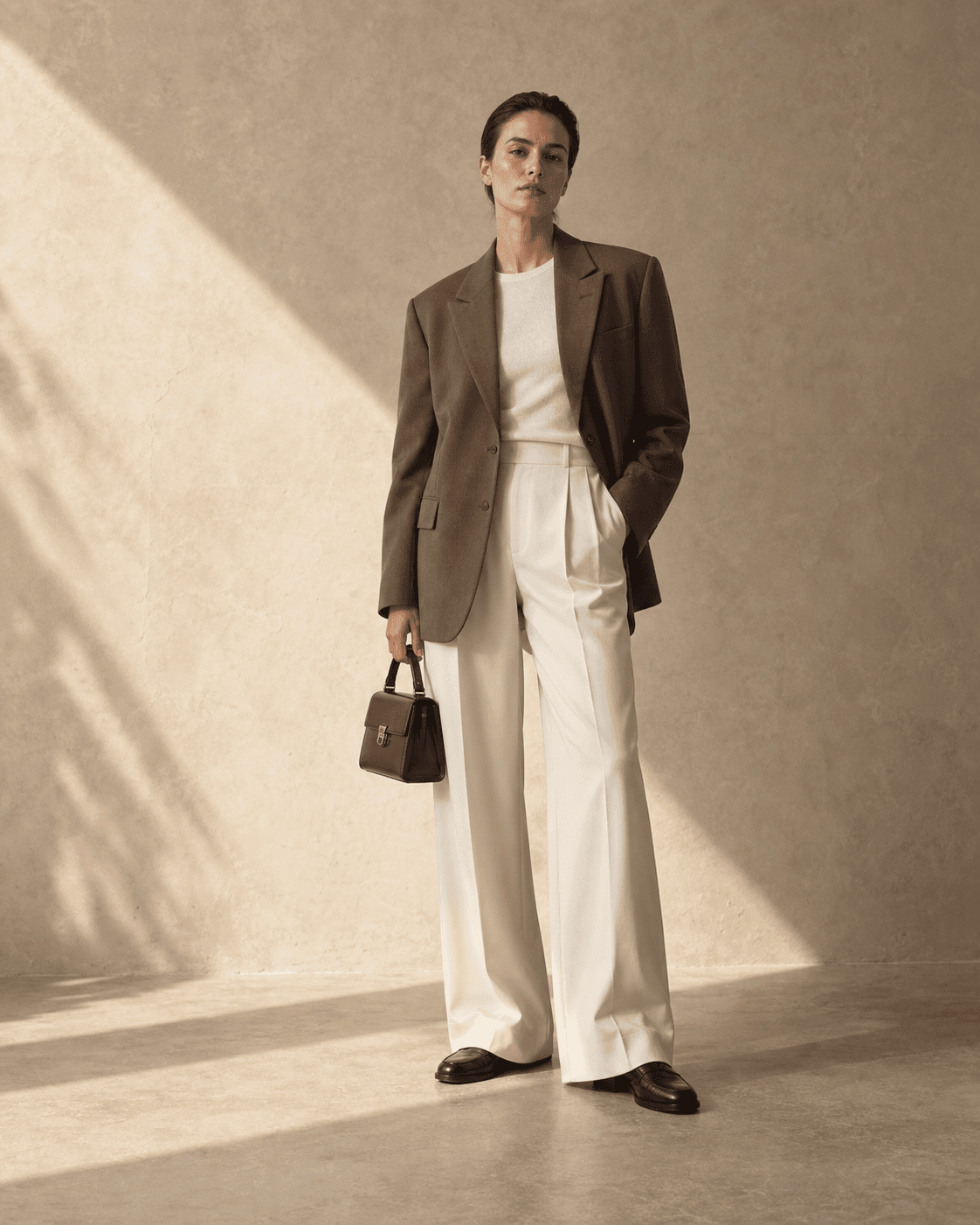
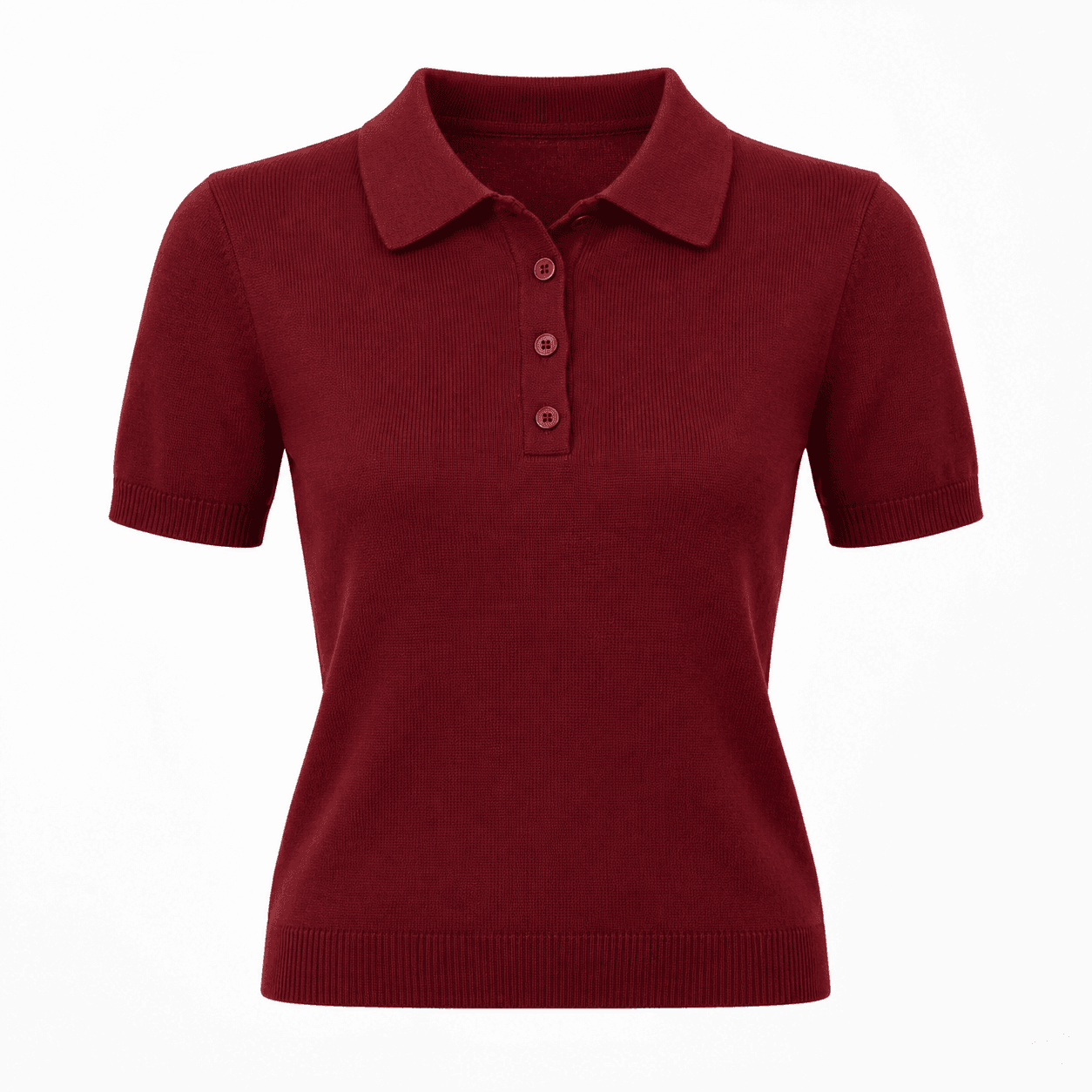
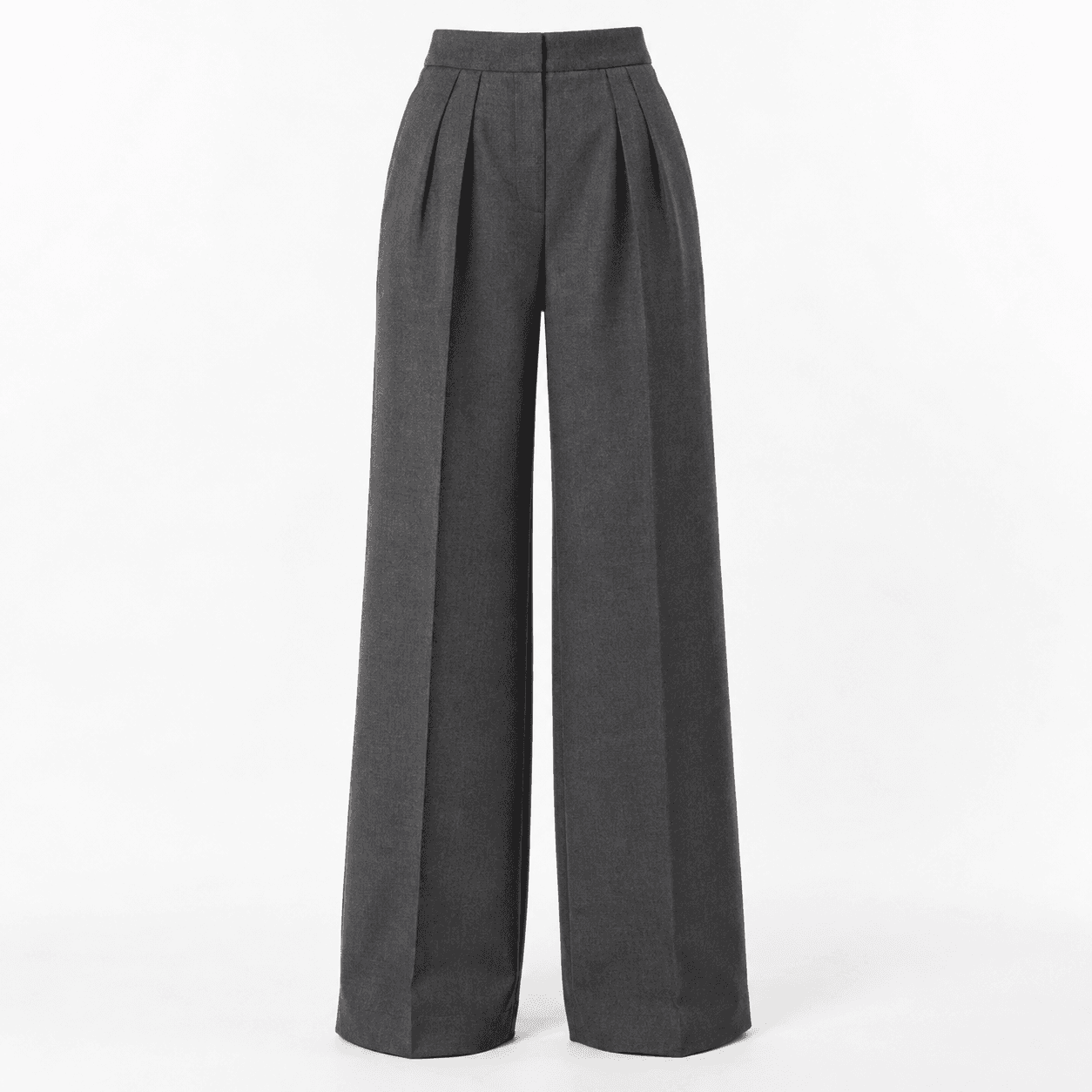
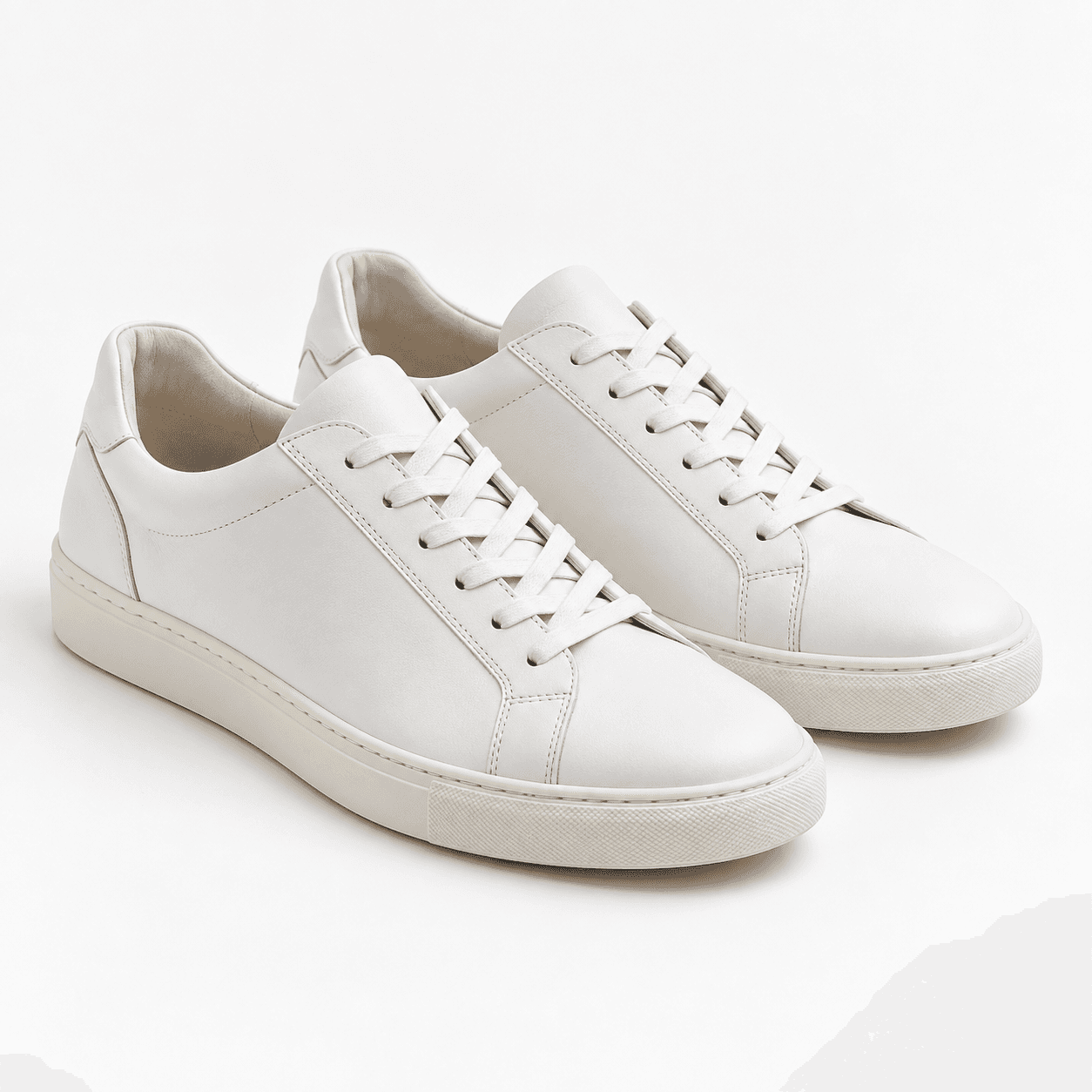
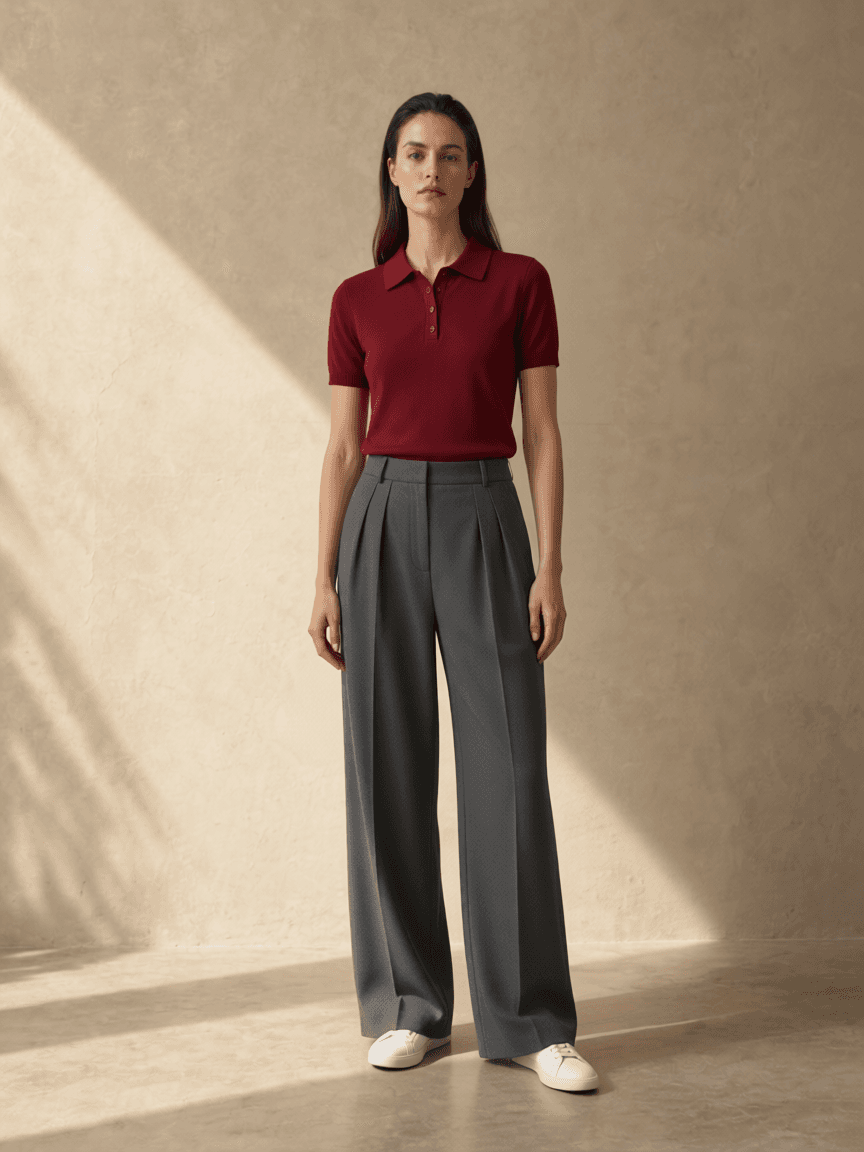
Recorded September 11, 2026. Synthetic person and garment references; real adapter output, not a browser screen recording or a customer testimonial. Face, hair and pose changed, and the white-background request was not followed. Style preview only—not a guarantee of fabric, fit or sizing.
Prepare your own product images →From the photo to the outfit
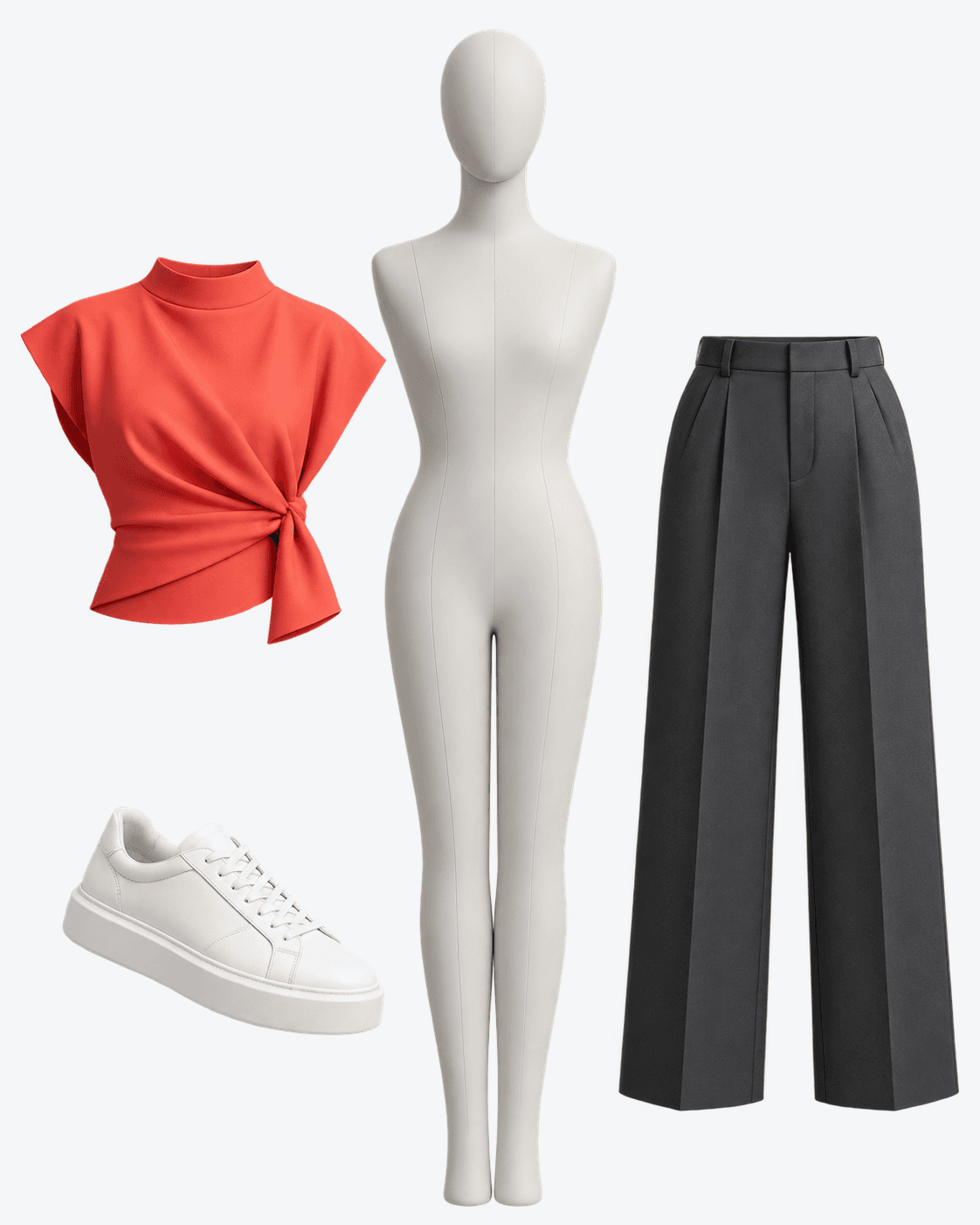
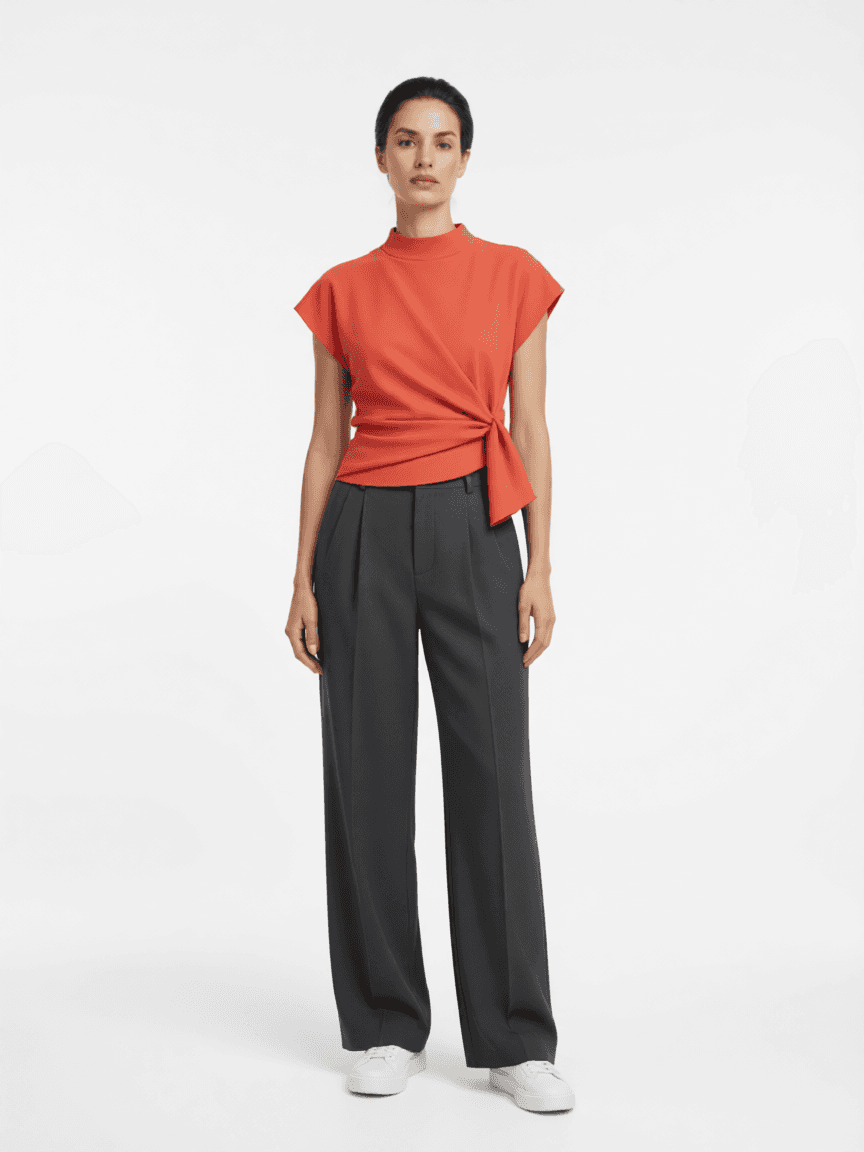
One example, using AI-generated references and a combined clothing image. The result includes the app's white-background edit. Faces and clothing details can change; this is not a size or fit guarantee.
Watch the outfit demoThe photo.
The clothes.
The preview.
A red top, grey trousers, white trainers. Watch how these pieces look together in an actual Private Try-On result.
29-second film with narration, actual app results and AI-generated motion. This example used one composite clothing reference, not separate item uploads. The person and clothing references are AI-generated reference images. Faces and clothing details can change; this is not a size or fit guarantee.
Try your own outfit →Read the transcript and visual description
Love the top. But does it work with the rest? Meet Private Try-On. Add your photo. Pick a top, trousers, and shoes. See the outfit together before you order. Try a clean studio background, too. It's an AI preview, not a fit guarantee. Build your next look at privatetryon.com.
The film combines outfit imagery, the reference person and clothing, actual app results, and AI-animated shots. The clothing reference is a red top, grey trousers and white trainers. A clean white studio background keeps the focus on the finished look. The sample person is AI-generated, not a customer.
1. Choose a person reference
Use a clear, front-facing full-body photo with your head and feet visible. Even lighting and an unobstructed body give the model clearer information. Upload your own photo or a photo you have permission to use.
2. Add the pieces you want to wear
Upload each product into its matching slot, such as top, bottoms, shoes or outerwear. Start with one item or combine several. Accessory availability depends on the current plan and enabled features; check the studio before buying.
3. Generate and review the whole outfit
Check the overall combination, then inspect the face, garment details and background. You can change an item and generate another look. Each new generation uses the applicable allowance. Download results you want to keep before leaving the session.
Can I try outfits without a full-body photo?
Measurement mode accepts height, weight, chest, waist and hips to create an approximate body preview. Without a portrait reference it uses a generic model. Measurements alone cannot reconstruct your exact appearance or predict physical fit.
How should I prepare product screenshots?
A clean product photo is preferable. Crop away prices, captions, arrows and bundle labels when possible. Advertising text can be mistaken for fabric print, and a multi-product collage may make the intended garment ambiguous. Include the actual item clearly and use images you are entitled to use.
- Choose the exact colour and item you want. Keep sleeves, hems and the full shoe visible; do not crop away part of the product.
- Crop out the shopping interface, prices and promotional labels. For example, remove a floating "3-piece set" badge, but keep lettering that is genuinely printed on the garment.
- Save one clear image per item. Put the top in Tops, trousers in Bottoms and footwear in Shoes instead of uploading a bundle collage to one slot.
- Review the generated result beside the originals. Check whether the colour, neckline, length, print and shoes are still recognisable before judging the combination.
Limits
What if the result changes a detail?
If a logo or advertising label appears in the wrong place, use a cleaner reference. If the outfit is ambiguous, try fewer items to isolate the problem. Another generation uses credits and may still change details; repeated attempts are not an accuracy guarantee.
Is this an AI outfit generator or a wardrobe planner?
Private Try-On generates a visual preview from the clothing images you choose. It is not a shopping catalogue, a saved digital wardrobe or a calendar that plans what to wear. Use it to explore a particular combination, then download the result you want to keep.
Will my face and the clothing look exactly the same?
No exact match is guaranteed. The model can redraw facial features, prints, logos, fabric textures and small accessories. Treat the image as a style preview, not a faithful product photograph or evidence of how you will look in real life.
Does AI try-on tell me which size to buy?
No. Check the retailer's size chart, garment measurements, fabric information and return policy. An attractive preview does not prove that an item fits, stretches or drapes the same way in reality.
What about backgrounds, video and privacy?
The studio can offer background editing and video when enabled. Separate edits may require another provider call; video and image allowances are separate. Original uploads are held temporarily in server memory for generation, for up to 30 minutes. New generated results are stored privately on our server and available in your account for 30 days. Inputs are sent to Agnes to generate the result; Agnes may apply its own retention. Based on written confirmation from Agnes support, uploads sent for generation are not used for model training. We cannot link a public Agnes policy for this. Images are still sent to Agnes to create the requested result. Retention after generation may still apply, and immediate deletion is not claimed.
Read the photo and data explanation or check current prices and allowances.
FAQ
Can I try outfits without a full-body photo?
When measurement mode is available, height, weight, chest, waist and hips can create an approximate generic body preview. Measurements alone cannot reconstruct an exact appearance or predict physical fit.
How should I prepare product screenshots?
Use one clear image per item. Keep the full product visible and crop shopping-interface text, prices, arrows and promotional labels that could be mistaken for garment details.
Will my face and the clothing look exactly the same?
No exact match is guaranteed. The model can redraw facial features, prints, logos, fabric textures and small accessories. Treat the output as a style preview, not a faithful product photograph.
Does AI try-on tell me which size to buy?
No. Check the retailer's size chart, garment measurements, fabric information and return policy. A preview does not prove real fit, stretch or drape.
Related resources
Reviewed September 17, 2026.
Create your first outfit preview →